
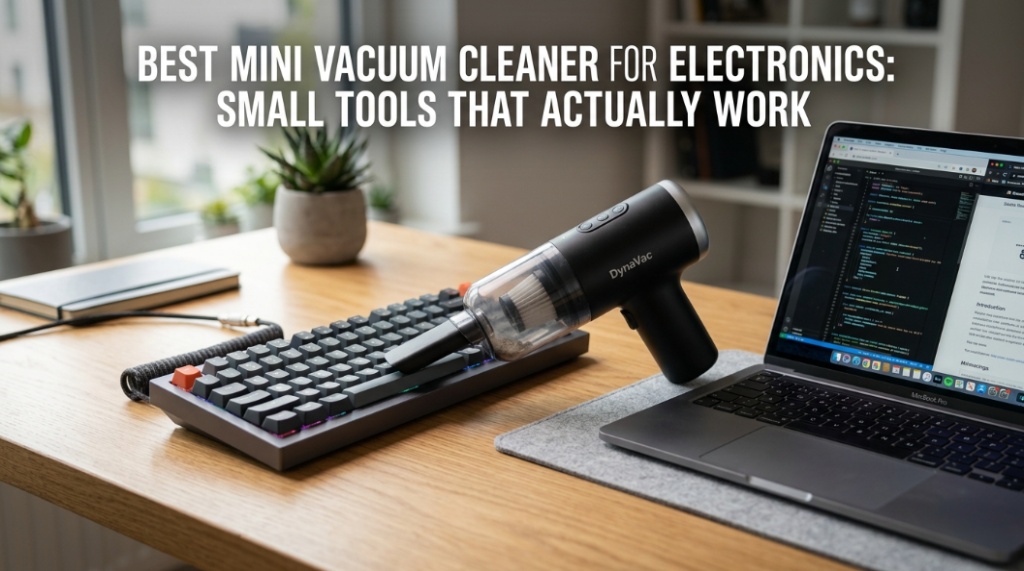
Dust inside a keyboard is quieter than a hardware failure, but it often causes one first. The best portable electronics vacuum devices are designed to remove dust, crumbs, pet hair, and debris from sensitive gadgets without damaging circuits or pushing particles deeper into vents. Unlike standard household vacuums, a proper handheld PC vacuum uses controlled suction, soft brush attachments, and compact nozzles to safely clean laptops, gaming PCs, cameras, keyboards, consoles, and other electronics.
Why Do Electronics Need a Specialized Mini Vacuum Cleaner?
Electronics collect dust faster than most people realize, and a specialized vacuum removes debris safely without harming internal components.
Desktop PCs, gaming laptops, mechanical keyboards, routers, and monitors constantly pull in airborne dust through cooling systems. Over time, that buildup blocks airflow, traps heat, and reduces performance. According to multiple hardware maintenance studies from major PC manufacturers, excessive dust can increase operating temperatures significantly and shorten component lifespan.
A regular vacuum cleaner creates excessive suction and static risk. A USB vacuum cleaner or handheld electronics vacuum is designed differently:
- Low-pressure controlled airflow
- Precision nozzles for tight spaces
- Soft anti-static brush heads
- Compact lightweight designs
- Safer cleaning around sensitive ports
These tools are especially useful for:
- Gaming PCs
- Laptops
- Mechanical keyboards
- Camera gear
- Audio interfaces
- Gaming consoles
- Car dashboards with electronics
- Office workstations
What Is the Best Mini Vacuum Cleaner for Electronics?
The best mini vacuum cleaner for electronics combines safe suction power, anti-static protection, portability, and precision attachments.
Not every compact vacuum is built for electronics. Some have weak airflow that barely removes debris, while others use aggressive motors that can damage delicate parts. The best-performing options balance suction with safety.
What Features Matter Most in a Portable Electronics Vacuum?
The most important features are controlled suction, anti-static design, portability, battery life, and precision cleaning attachments.
| Feature | Why It Matters |
|---|---|
| Anti-static Protection | Helps reduce electrostatic discharge risk |
| Soft Brush Attachments | Protects keyboards and delicate surfaces |
| Compact Nozzle | Reaches vents and ports easily |
| USB-C Charging | Convenient modern charging support |
| HEPA Filter | Captures fine dust particles |
| Lightweight Design | Easy to handle during detailed cleaning |
| Rechargeable Battery | Better portability than corded models |
Are USB Vacuum Cleaners Good for Electronics?
Yes, USB vacuum cleaners work well for light electronics cleaning, especially keyboards, laptops, and office setups.
A USB vacuum cleaner typically plugs directly into a USB port or uses rechargeable USB-C charging. These small tools are convenient for quick maintenance tasks and portable workstations.
They are ideal for:
- Keyboard crumbs
- Desk dust
- Laptop vents
- Small office electronics
- Gaming accessories
However, very cheap USB vacuums often lack proper airflow. Models with brushless motors and rechargeable lithium-ion batteries usually perform better.
Can a USB Vacuum Damage a Laptop?
A properly designed electronics vacuum is generally safe for laptops when used correctly.
Problems happen when users:
- Use high-powered household vacuums
- Touch exposed components aggressively
- Use metal attachments
- Ignore electrostatic precautions
To clean safely:
- Power down the device first
- Disconnect chargers and cables
- Use soft brush tips
- Avoid direct contact with motherboard components
- Use short controlled passes
Which Handheld PC Vacuum Models Actually Work?
The best handheld PC vacuum models offer reliable suction, quality filters, and attachments designed specifically for electronics.
Some mini vacuums are marketed heavily but perform poorly in real-world use. Reliable options usually come from brands known for electronics accessories, compressed air alternatives, or portable cleaning devices.
Top Types of Electronics Vacuums
Different users need different vacuum styles depending on their setup.
| Vacuum Type | Best For | Main Advantage |
|---|---|---|
| USB Mini Vacuum | Keyboards and desks | Ultra portable |
| Rechargeable Handheld Vacuum | Gaming PCs and laptops | Stronger suction |
| 2-in-1 Air Duster Vacuum | Deep PC cleaning | Blow and suction modes |
| Anti-static Electronics Vacuum | Professional repair work | Higher component safety |
Why Are 2-in-1 Air Duster Vacuums Popular?
They combine blowing and suction functions, making them more effective than compressed air alone.
Traditional compressed air often pushes dust deeper into PC cases or room air. A dual-function electronics cleaner removes debris more efficiently.
Many modern setups now replace disposable canned air with rechargeable electric air dusters that include vacuum functionality.
How Do You Clean a Keyboard With a Mini Vacuum?
The safest way to clean a keyboard is with low suction, a soft brush attachment, and slow passes across key gaps.
Mechanical keyboards trap dust, hair, and food particles underneath switches. A handheld PC vacuum makes maintenance much easier.
Step-by-Step Keyboard Cleaning Process
- Disconnect the keyboard
- Turn it upside down and shake gently
- Attach a soft brush nozzle
- Vacuum between keycaps slowly
- Use compressed air lightly if needed
- Wipe surfaces with microfiber cloth
For gaming keyboards with removable keycaps, deeper cleaning every few months improves hygiene and switch performance.
Can Mini Vacuums Remove Pet Hair From Electronics?
Yes, portable electronics vacuums work very well for pet hair around keyboards, vents, and gaming setups.
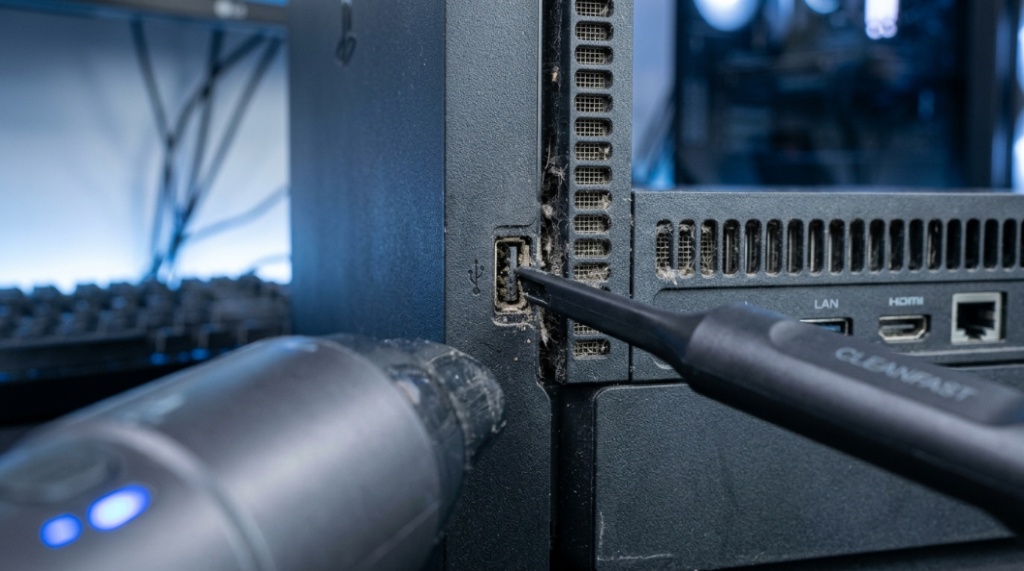
Pet hair is one of the biggest causes of airflow blockage in gaming PCs and console vents. Soft-brush handheld vacuums are particularly effective because they loosen hair without scratching surfaces.
Is a Portable Electronics Vacuum Better Than Compressed Air?
A portable electronics vacuum is usually better for removing dust completely, while compressed air is better for dislodging stubborn particles.
The best cleaning approach often combines both tools.
| Cleaning Tool | Best Use | Main Weakness |
|---|---|---|
| Compressed Air | Loosening deep dust | Pushes debris around |
| Mini Vacuum | Removing loose debris | May miss deeply trapped dust |
| 2-in-1 Cleaner | Complete maintenance | Higher cost |
Professionals often use both together during PC maintenance.
Why Do Gamers Prefer Electronics Vacuums?
Gaming setups generate more heat and attract more dust due to constant airflow through cooling systems.
Dust accumulation inside GPUs, cooling fans, and power supplies can increase temperatures noticeably. Higher temperatures may lead to:
- Thermal throttling
- Louder fans
- Reduced FPS performance
- Component wear
- Unexpected shutdowns
Regular cleaning with a handheld electronics vacuum helps maintain airflow and cooling efficiency.
How Often Should You Vacuum Electronics?
Most electronics should be cleaned every one to three months depending on environment and usage.
Dust buildup happens faster in:
- Homes with pets
- Humid environments
- Smoking environments
- Carpeted rooms
- Gaming setups with constant airflow
Recommended Cleaning Schedule
| Device | Suggested Cleaning Frequency |
|---|---|
| Gaming PC | Every 1–2 months |
| Laptop | Every 2–3 months |
| Keyboard | Monthly |
| Gaming Console | Every 2 months |
| Camera Equipment | After outdoor use |
What Should You Avoid When Cleaning Electronics?
You should avoid excessive suction, moisture exposure, static discharge, and abrasive tools.
Many electronics get damaged during improper cleaning rather than from dust itself.
Common Electronics Cleaning Mistakes
- Using full-sized household vacuums
- Spraying liquid directly onto electronics
- Using rough brushes
- Cleaning while devices are powered on
- Ignoring static electricity risks
- Using metal cleaning tools
Safe electronics maintenance always prioritizes gentle airflow and precision cleaning.
Can a Handheld PC Vacuum Improve Performance?
Yes, cleaning dust from cooling systems can improve thermal performance and device stability.
When cooling fans and heat sinks become clogged, airflow decreases dramatically. Modern CPUs and GPUs automatically reduce performance when temperatures rise too high.
Real-world maintenance tests from PC hardware communities regularly show noticeable temperature drops after proper cleaning.
Users commonly report:
- Lower fan noise
- Better cooling
- More stable gaming performance
- Reduced overheating
- Longer component lifespan
Do Electronics Vacuums Help Office Productivity?
Yes, cleaner workstations improve comfort, hygiene, and device reliability.
Dusty keyboards and vents are common in office environments. Portable vacuums simplify quick maintenance without requiring full disassembly.
For remote workers and creators, maintaining clean equipment also protects expensive hardware investments.
What Is the Best Portable Electronics Vacuum for Travel?
The best travel-friendly electronics vacuum is lightweight, rechargeable, compact, and USB-C compatible.
Frequent travelers often clean:
- Laptop keyboards
- Camera bags
- Drone gear
- Portable gaming devices
- Car interiors
Compact rechargeable vacuums fit easily into backpacks and desk setups.
What Makes a Good Travel Vacuum?
- Under 1 pound weight
- Cordless design
- Long battery life
- Washable filter
- Quiet motor
- Multiple nozzle attachments
Are Expensive Electronics Vacuums Worth It?
Higher-quality electronics vacuums usually offer stronger motors, better filtration, quieter operation, and safer materials.
Cheap mini vacuums often struggle with:
- Weak suction
- Poor battery life
- Low-quality plastic parts
- No filtration system
- Overheating motors
For occasional keyboard cleaning, a budget USB vacuum may be enough. But for gaming PCs, professional setups, or expensive electronics, better build quality matters.
Should You Buy a Vacuum or an Electric Air Duster?
If possible, choose a device that combines both functions.
A hybrid cleaner provides better long-term value because it handles both dust loosening and debris removal.
This is especially useful for:
- PC builders
- Gamers
- Repair technicians
- Content creators
- Home office users
Conclusion: Which Mini Vacuum Cleaner Is Actually Worth Buying?
The best mini vacuum cleaner for electronics is one that safely removes dust without damaging sensitive components. A quality portable electronics vacuum should provide controlled suction, soft cleaning tools, rechargeable portability, and compact precision for keyboards, laptops, gaming PCs, and office setups.
Cheap household vacuums are not designed for electronics maintenance. A proper handheld PC vacuum or modern USB vacuum cleaner helps protect airflow, reduce overheating, and extend the life of expensive devices.
For most users, the smartest option is a rechargeable 2-in-1 vacuum and air duster combination with anti-static protection and multiple nozzle attachments. It simplifies maintenance, improves device hygiene, and makes regular cleaning far easier.
If your laptop fan sounds louder than usual, your keyboard feels gritty, or your gaming PC runs hotter than before, dust buildup is probably already affecting performance. Regular electronics cleaning is no longer optional for modern devices that rely heavily on cooling efficiency.
Investing in the right mini vacuum cleaner now can save expensive repairs later.
Frequently Asked Questions About Mini Vacuum Cleaners for Electronics
Can I use a normal vacuum cleaner on electronics?
No, regular household vacuums are not recommended for electronics because they create excessive suction and may generate static electricity that can damage sensitive components.
What is the safest way to clean a gaming PC?
The safest method is using a low-suction electronics vacuum combined with controlled compressed air while the PC is fully powered off and unplugged.
Do USB vacuum cleaners really work?
Yes, quality USB vacuum cleaners work well for light cleaning tasks like keyboards, laptop vents, and desk electronics. Rechargeable models generally perform better than basic plug-in versions.
How often should I clean my laptop vents?
Most laptops should have vents cleaned every two to three months, especially if used in dusty environments or for gaming and heavy workloads.
Can dust damage computer components?
Yes, excessive dust restricts airflow, increases heat buildup, and can shorten the lifespan of CPUs, GPUs, power supplies, and cooling systems.
Is compressed air better than a mini vacuum?
Compressed air is useful for loosening dust, while mini vacuums remove debris completely. Using both together provides the best results.
What should I look for in a handheld PC vacuum?
Look for anti-static protection, soft brush attachments, rechargeable battery power, compact nozzles, washable filters, and moderate controlled suction.
📌 Related Reads
Explore: How to Choose the Best Vacuum for Hardwood Restaurant Floors
Learn: How Smart Electricity Meters Help Reduce Energy Bills at Hom